
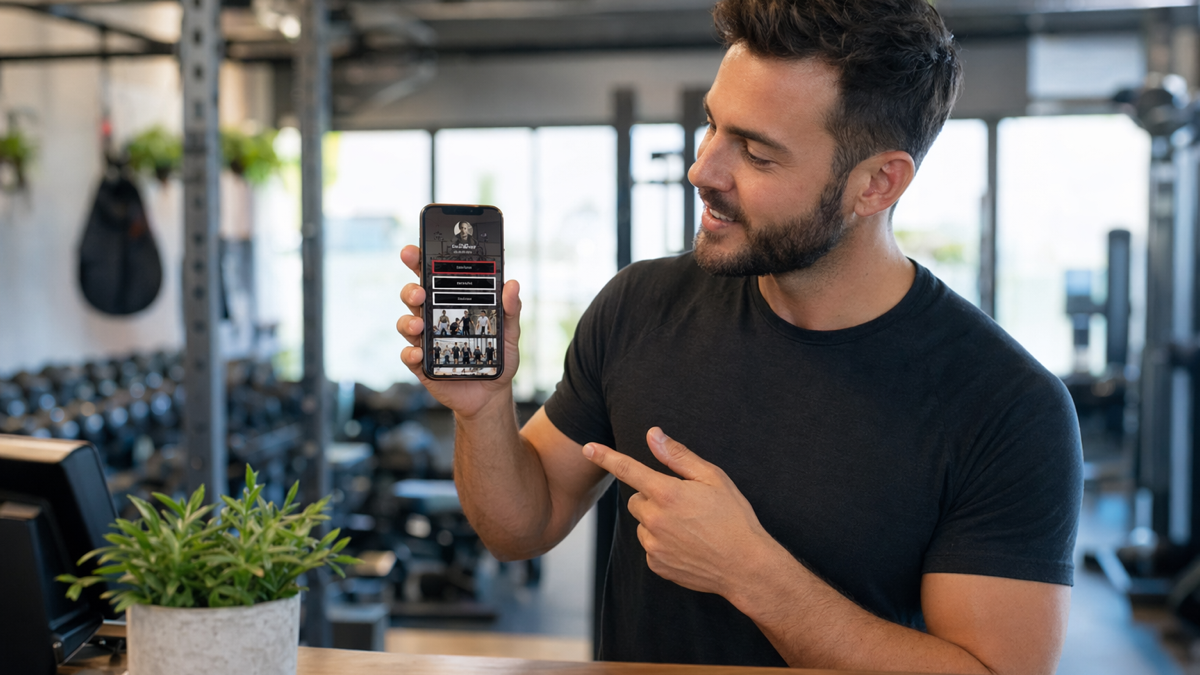
Why a bio page matters for fitness businesses
Most gyms and personal trainers get attention in scattered places. Instagram stories, TikTok clips, Facebook groups, WhatsApp referrals, Google reviews, posters, local events and the occasional conversation in a coffee shop. The awkward part is turning that attention into a booking.
A bio page gives all of those people one simple place to go. It is the link in your social profile, the QR code on a poster, the page you send after a DM and the address printed on a business card. Instead of asking someone to hunt through your website, your bio page puts the next step right in front of them.
For fitness businesses, this matters because interest can fade quickly. Someone watches a transformation video at lunch, thinks "I should do something", then gets distracted. If your profile link sends them to a confusing homepage, you may lose them. If it sends them to a page with a clear trial offer, timetable, consultation button and proof that you can help people like them, you have a better chance.
A good bio page is not a dumping ground for every link you own. It is a small sales page with choices. The aim is to help the right person take the next step without needing a long back-and-forth.
What a gym or PT bio page should do
The page should answer four questions quickly. Who are you for? What do you offer? Why should someone trust you? How do they book?
That sounds basic, but many fitness profile links fail because they jump straight into a list: website, app download, class timetable, merch, podcast, YouTube, meal plan, challenge, contact form. The visitor has to decide what matters. Most will not bother.
Useful bio page actions include:
- book a free consultation or discovery call
- claim a trial session or class pass
- view the class timetable
- join a six-week challenge
- send a WhatsApp message
- download a beginner guide
- read testimonials or transformation stories
- find the gym location and parking details
You do not need all of these. In fact, fewer options often work better. A personal trainer selling one-to-one coaching may only need three buttons: book a consultation, see client results and ask a question on WhatsApp. A gym may need trial pass, timetable, membership options and location.
Build the page around the type of client you want
A bio page should not try to speak to everyone. Fitness is personal. A 52-year-old returning to exercise after years away has different concerns from a 24-year-old preparing for a bodybuilding show. A new mum looking for small group training does not need the same message as a student hunting for cheap open gym access.
Before you write the page, decide who you most want to book. Then make the page feel like it was made for them.
For example, a PT who works with busy professionals might lead with:
"Strength training for busy people who want to feel fitter without living in the gym."
A gym focused on beginners might say:
"Friendly coaching, small classes and no mirrors-on-every-wall nonsense."
A boxing coach might use:
"One-to-one boxing sessions for fitness, confidence and proper technique."
These lines are not fancy. They are useful because they filter. The right person recognises themselves. The wrong person moves on, which is fine.
Put the main booking action at the top
The first button on the page should match the action that brings in revenue. If consultations lead to clients, make "Book a consultation" the first button. If trial classes convert well, make "Claim a trial class" the first button. If your sales happen through WhatsApp, make that the first action.
Do not hide booking below five pieces of content. Social traffic is impatient. People may only give you a few seconds.
A strong top section can include:
- a short headline saying who you help
- one sentence about the result or experience
- a clear primary booking button
- a secondary button for people who still have questions
For a PT, that might look like:
"Personal training in Leeds for people who want structure, accountability and sessions that do not feel intimidating."
Primary button: "Book a free call". Secondary button: "Ask a question on WhatsApp".
For a gym, it might be:
"Small group strength and conditioning in Bristol, with coached sessions for all levels."
Primary button: "Claim a 7-day trial". Secondary button: "View the timetable".
The point is to avoid making the visitor solve the page. You are guiding them.
Use social proof, but make it specific
Fitness buyers are sceptical, especially if they have tried before and felt embarrassed, ignored or pushed too hard. Social proof helps, but only when it feels real.
A vague line like "hundreds of happy clients" is easy to ignore. Specific proof is more convincing:
- "I started with two sessions a week because I had no idea what to do in a gym. Three months later I can train on my own without feeling lost."
- "The 6am classes are the only routine I have ever stuck to."
- "I joined after having my second child and never felt judged for starting slowly."
If you use transformation photos, handle them carefully. They can work, but they can also put off people who do not want their body treated like a before-and-after advert. Mix visual results with words about confidence, consistency, strength, pain reduction, energy and routine.
For gyms, include proof that answers common objections. If people worry they are not fit enough, show beginner stories. If they worry the gym is too intense, show coaching and support. If they worry about price, explain what is included.
Make offers easy to understand
A confused visitor rarely books. If your bio page mentions a trial, challenge, membership or coaching package, explain it plainly.
For a trial class, include:
- what the trial includes
- who it is suitable for
- how long it takes
- what someone should bring
- whether they need previous experience
- what happens after they book
For personal training, explain the route into working with you. Do people book a call first? Do you offer a movement assessment? Do you build a plan after the first session? How soon can they start?
Do not force people to message you for every basic detail. A little mystery can work for luxury brands, but in fitness it often creates friction. People want to know whether they will look silly, whether parking is easy, whether they can manage the schedule and whether the coach seems normal.
Use different buttons for different levels of intent
Not every visitor is ready to book today. Some are hot leads. Some are curious. Some are nervous. Your bio page can give each group a sensible next step without becoming cluttered.
A simple structure might be:
- ready now: book a consultation or trial
- still deciding: read client stories
- has a question: message on WhatsApp
- wants details: view timetable, prices or location
This works because it respects where people are. A nervous beginner may read testimonials before booking. A serious buyer may jump straight to the calendar. A parent looking for teen sessions may message first. All of those routes can still lead to a client.
Keep the labels clear. "Start here" is less useful than "Book a free consultation". "Learn more" is less useful than "See membership options".
Use your bio page with QR codes in the real world
A bio page is not only for social media. It works well behind a QR code because it gives offline attention a clean digital route.
Gyms and PTs can use QR codes on:
- posters in cafes, offices and local shops
- business cards handed out after conversations
- pull-up banners at events
- flyers for six-week challenges
- class timetable boards
- reception desks
- referral cards for current members
The QR code should not just say "scan me". Tell people what they get. "Scan to claim a trial session" is better. "Scan for beginner strength classes" is better. "Scan to book your free PT call" is better.
If you run several campaigns, create separate links for each QR code. A poster in a cafe, a referral card and an Instagram bio link should not all be treated as the same source. Tracking them separately helps you see where bookings actually come from.
What to include on a PT bio page
A personal trainer's page should feel direct and personal. People are deciding whether they trust you with their body, time, money and sometimes their insecurities.
A strong PT bio page might include:
- your name and location
- who you help and what kind of training you offer
- a consultation booking button
- a short explanation of how coaching works
- two or three client testimonials
- before-and-after photos if they suit your brand and clients have consented
- WhatsApp or email for questions
- links to Instagram, reviews or longer case studies
Do not over-polish the copy. A PT page should sound like the person someone will meet. If you are calm and steady, write that way. If you are blunt and energetic, let that show. Trying to sound like every other fitness coach makes you forgettable.
A simple PT page order
- Headline: who you help.
- Primary button: book a call.
- Short section: what happens in the first session.
- Proof: client quotes or results.
- Secondary buttons: WhatsApp, prices, location.
That is enough for many trainers. You can always link to a full website for people who want more detail.
What to include on a gym bio page
A gym page usually needs to handle more paths than a PT page. Visitors may be interested in classes, open gym, memberships, personal training, kids sessions or corporate offers. The trick is to organise those choices without turning the page into a directory.
Start with the most important offer. For many gyms, that is a trial pass or intro session. Then group the rest.
A gym bio page might include:
- claim a trial pass
- view class timetable
- see membership options
- book an intro session
- find location and parking details
- read member reviews
- message the team
If your gym has a strong niche, show it early. A strength gym, CrossFit box, women-only gym, boxing gym and yoga studio should not all sound the same. The more clearly you state the experience, the more confident the right person feels.
Include practical details. Opening hours, parking, changing rooms, beginner suitability and cancellation terms may not feel exciting, but they remove doubts. People often delay booking because of small unanswered questions.
Link your bio page to booking tools
The bio page does not need to handle every booking itself. It can send people to Calendly, a gym management system, a class booking app, a payment page or a simple form. What matters is that the route feels smooth.
Check the whole journey on a phone:
- tap the profile link
- open the bio page
- tap the booking button
- choose a time or offer
- submit details
- receive confirmation
If any step feels clunky, fix it. Common problems include calendars with no available slots, forms asking for too much information, slow pages, broken app links and buttons that open a desktop-style booking system on a tiny screen.
Also think about follow-up. If someone books a call, do they get a reminder? If someone claims a trial, do they receive what to bring? If someone messages on WhatsApp, who replies and how quickly?
Measure what gets bookings, not just clicks
A bio page can attract lots of taps without bringing in clients. Track the numbers that matter.
Useful metrics include:
- profile link clicks
- QR scans from printed material
- consultation bookings
- trial pass claims
- WhatsApp messages
- class timetable views
- conversion from trial to membership
If Instagram sends plenty of visits but few bookings, the offer may be wrong or the page may not match the content. If QR codes on referral cards convert well, print more of them. If timetable clicks are high but trial bookings are low, people may be interested but unsure which class suits them.
Review the page once a month. Move the strongest action higher. Remove links nobody uses. Update old offers. Add better testimonials. Your bio page should not be a set-and-forget page from two years ago.
Common bio page mistakes
Most mistakes come from trying to say too much or sounding too vague.
Avoid these:
- putting ten buttons before the booking option
- using labels such as "programmes" when "small group training" would be clearer
- linking to a homepage that is hard to use on mobile
- hiding prices when price transparency is part of your market
- using stock photos instead of real people and real spaces
- forgetting location details
- making every offer sound urgent
- leaving old challenges or expired trials on the page
Also avoid copying another coach's style too closely. Fitness brands are built on trust. If your page sounds like a motivational poster, it will not help people decide whether to book with you.
A simple bio page template for gyms and PTs
Use this as a starting point, then cut anything that does not fit your business.
Top section
One clear sentence about who you help, followed by your main booking button.
Offer section
Explain your trial, consultation or intro session. Keep it short and practical.
Proof section
Add two or three client quotes, member reviews or short case studies.
Details section
Include location, timetable, prices or what to bring. Answer the questions that stop people booking.
Contact section
Add WhatsApp, email or a quick question form for anyone who needs reassurance.
If you want one trackable page for your social bios, posters, referral cards and QR campaigns, you can build it with D2eak.link. Start here: create your D2eak.link account.
Final thoughts for fitness businesses
A bio page will not do the selling for you if the offer is weak or the coaching experience is poor. It will, however, stop interested people from getting lost.
Make the page clear. Put the booking action first. Show proof from real clients. Give nervous people a way to ask questions. Then track which links and QR codes bring in actual bookings.
For gyms and PTs, that is the practical value of a bio page. It turns casual attention into a next step while the motivation is still fresh.
Related reading
If this topic is useful, these related D2eak.link guides are worth reading next: