

UTM + D2eak.link tracking: a clean analytics setup guide
UTM tracking is one of those marketing tasks that looks simple until a team starts doing it in the wild. One person uses "Instagram". Another uses "ig". Someone adds spaces. Someone forgets the campaign name. A month later the analytics report is a junk drawer.
D2eak.link can make campaign links easier to manage, but the link shortener is only part of the setup. The naming rules matter. The destination matters. The way you separate bio links, QR codes and paid traffic matters. Clean tracking starts before the first link is shared.
This guide gives you a practical UTM setup that works for small teams, local businesses, creators and service providers. It is deliberately simple. The goal is not to build a reporting empire. The goal is to know which links and placements are producing useful action.
What UTMs actually do
UTM parameters are tags added to the end of a URL. Analytics tools use them to identify where traffic came from and which campaign it belongs to. They usually include source, medium and campaign. Some setups also use content and term.
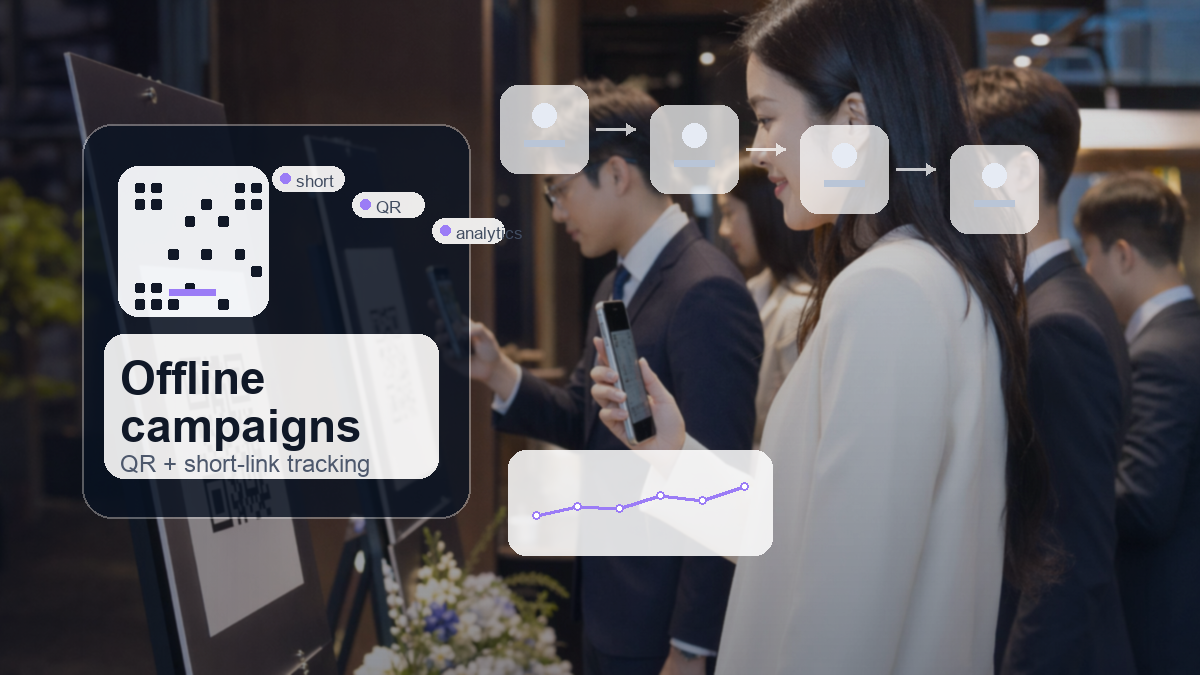
A raw UTM link can become long and ugly. That is where D2eak.link helps. You can create a short, readable link for public use while preserving the tracking behind it. People see a clean link. Your analytics still receives the campaign information.
The main UTM fields
- utm_source: the platform, partner or placement that sent the traffic.
- utm_medium: the type of channel, such as social, qr, email or paid.
- utm_campaign: the campaign name you want to report on.
- utm_content: the creative, link position or version when useful.
- utm_term: mainly for paid search keywords, not needed for every campaign.
Most small campaigns only need source, medium and campaign. Use content when you genuinely need to compare versions, such as two posters or two buttons.
Create naming rules before creating links
Consistency is the difference between useful reporting and a spreadsheet argument. Decide your naming rules once, write them down and stick to them.
Use lowercase. Use hyphens instead of spaces. Keep names short but understandable. Do not switch between "instagram", "ig" and "insta" unless you enjoy cleaning reports by hand.
A clean naming pattern
- Sources: instagram, tiktok, linkedin, newsletter, partner-name, table-card, shop-window.
- Mediums: social, email, qr, paid-social, referral, print.
- Campaigns: spring-bookings, lunch-menu, wedding-guide, jan-trial, black-friday.
- Content: story-link, bio-button, poster-a, poster-b, footer-link.
Keep the words close to how the team talks about the campaign. If nobody says "lead-magnet-q2-acquisition" in real life, do not put it in your UTM unless you have to.
Use D2eak.link as the public layer
Raw UTM links are not good public links. They are long, easy to break and ugly in print. A short link gives you a clean public address while still sending the visitor to the tagged destination.
For example, your full destination might include UTMs for a spring booking campaign. Instead of pasting that monster into Instagram, you create a D2eak.link short link with a readable slug. The short link redirects to the full tracked URL.
Why this helps
- Your public links look cleaner and more trustworthy.
- You can use readable slugs in print and social posts.
- You can update destinations when campaigns change.
- You can separate QR, bio and email traffic without messy public URLs.
- You can compare link-level clicks with analytics platform sessions.
The short link is not a replacement for analytics. It is a cleaner front door for tracked traffic.
Separate channels that behave differently
Do not send every visitor through the same tracked link. Instagram bio traffic, QR scans, newsletter readers and paid ad clicks behave differently. If they share one source and medium, you lose the ability to compare them.
Create separate D2eak.link links for meaningful channels. You can send them to the same landing page, but the UTM source and medium should reflect where the click came from.
Example campaign setup
- Instagram bio: source=instagram, medium=social, campaign=spring-bookings, content=bio-link.
- Instagram Story: source=instagram, medium=social, campaign=spring-bookings, content=story-link.
- Shop window QR: source=shop-window, medium=qr, campaign=spring-bookings.
- Email newsletter: source=newsletter, medium=email, campaign=spring-bookings.
- Partner flyer: source=partner-cafe, medium=print, campaign=spring-bookings.
This setup gives you a clean view without becoming obsessive. You can see whether the campaign worked, and you can see which placements deserve more effort.
Be careful with QR codes
QR codes are often tracked badly. The same code gets placed on a poster, receipt and window, then everyone wonders which one worked. Use one QR code per placement when the placement matters.
Each QR code should have its own short link and tracking values. If two placements are not worth separating in the report, they probably do not need separate codes. But if you would make a decision based on the result, split them.
QR tracking examples
- source=table-card, medium=qr, campaign=dessert-menu.
- source=receipt, medium=qr, campaign=review-request.
- source=front-window, medium=qr, campaign=walk-in-bookings.
- source=event-banner, medium=qr, campaign=open-day.
Print a small label or keep a simple sheet showing which code belongs to which placement. It sounds old-fashioned, but it prevents confusion after materials have been distributed.
Keep bio page tracking readable
A bio page can be both a destination and a traffic source. If you send people to a D2eak.link bio page from Instagram, track that entry link. Then track important button clicks from the bio page itself.
This matters because page visits alone can be misleading. A bio page may get lots of traffic and very few clicks on the important button. Or it may get modest traffic and strong booking clicks. You need both layers to understand performance.
Useful bio page questions
- Which source sends people to the bio page?
- Which button gets the most useful clicks?
- Does the top button match the current campaign?
- Do visitors from QR codes behave differently from social visitors?
- Which links should be removed because nobody uses them?
Bio page tracking should help you clean up the page, not decorate a dashboard.
Check analytics after the click
D2eak.link can show link activity, but your website analytics or booking platform may show what happened next. Compare both if the campaign matters. A link with high clicks and low conversions may have a landing page problem.
Look for mismatches. If D2eak.link shows plenty of clicks but your website shows fewer sessions, check redirect speed, consent settings, browser blocking or analytics setup. If sessions arrive but conversions do not, check the page message, form length, price clarity or mobile experience.
Common causes of weak conversion
- The landing page does not match the link promise.
- The booking form is too long for mobile visitors.
- The offer terms are hidden or confusing.
- The page loads slowly on mobile data.
- The primary action is buried below less important content.
Tracking tells you where to look. It does not fix the funnel by itself.
Make a campaign tracking sheet
You do not need fancy software to keep UTMs clean. A simple sheet is enough for most teams. Record the campaign name, short link, destination, UTM values, placement and status.
This sheet becomes especially useful when you have printed materials in circulation. If a code appears on a flyer that will live for six months, you need to know where it points and who owns it.
Suggested columns
- Campaign name.
- D2eak.link short link.
- Final destination URL.
- UTM source.
- UTM medium.
- UTM campaign.
- UTM content if used.
- Placement.
- Status: draft, live, paused or retired.
Review the sheet before launching a new campaign. Duplicate names and inconsistent sources are easier to fix before the links go public.
A clean example for a photographer
A photographer is promoting autumn family sessions. They create a landing page with available dates and a WhatsApp enquiry button. Then they create D2eak.link short links for Instagram bio, Stories, a printed nursery flyer and a QR code at a local cafe.
The campaign name is autumn-family-sessions. The sources are instagram, instagram, nursery-flyer and cafe-counter. Mediums are social, social, print and qr. The content field separates bio-link and story-link for Instagram.
After three weeks, the photographer sees that Stories brought more clicks, but the nursery flyer produced better enquiries. That changes the next campaign. More nursery partnerships, fewer generic posts, and a clearer flyer offer.
Set up clean tracking before traffic arrives
It is tempting to fix tracking later. Later usually means after the useful data has already been lost. Create your naming rules, build your short links, test the redirects and record the setup before launching the campaign.
Create your D2eak.link account and build cleaner campaign links for your bio pages, QR codes, emails and printed materials.
Keep it boring enough to work
The best UTM system is the one your team will actually use. Keep the fields simple, use consistent names and only add detail when it supports a decision. A tidy setup beats a clever one that nobody follows.
Once the rules are in place, every campaign becomes easier to read. You know where traffic came from, what people clicked and which placements deserve another round.
Related reading
If this topic is useful, these related D2eak.link guides are worth reading next: