
Why repeat appointments are the quiet profit centre in a dental practice
Most dental marketing advice focuses on new patients. That matters, of course, but it can distract from the simpler win sitting inside the practice already: getting existing patients to come back at the right time.
A patient who has already trusted you, sat in the chair, paid the bill and met the team is much easier to bring back than a stranger searching online at 10pm with three tabs open. The problem is rarely that patients hate coming back. It is usually that life gets in the way. They leave with good intentions, miss the recall email, ignore the text while they are at work, then only return when something hurts.
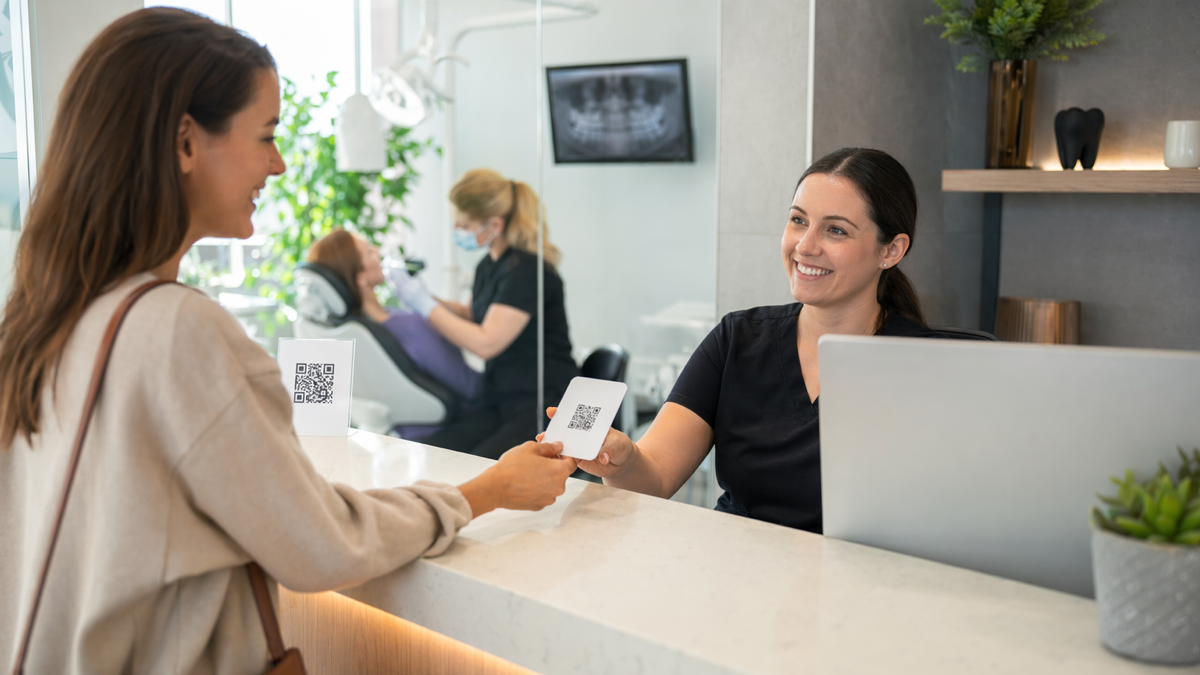
QR codes help because they shorten the path between a prompt and an action. A patient sees a small sign, scans it and lands on the exact page they need: book a hygienist appointment, join a membership plan, leave a review, download aftercare instructions or add a recall reminder. No typing. No searching. No asking reception for another leaflet.
For a dental practice, the best QR code campaigns are not clever for the sake of it. They remove tiny bits of friction from ordinary patient journeys. Done well, they can support reception, reduce missed opportunities and make your follow-up feel more organised without making the team sound pushy.
Where QR codes fit in the patient journey
QR codes work best when they are placed at moments where the patient is already thinking about their dental care. A code on a random advert might get some scans, but a code shown just after a check-up, whitening consult or hygiene appointment has much better intent behind it.
Think of the appointment as a series of small handovers. The patient moves from reception to waiting room, from nurse to dentist, from treatment room back to reception and then out into the real world. Each handover is a chance to offer one useful next step.
Good places to use QR codes include:
- reception desk signs for booking hygiene visits or joining a plan
- waiting room posters explaining treatments and finance options
- aftercare leaflets for implants, extractions, whitening or aligners
- appointment cards that link straight to the online booking page
- payment receipts with a review link
- mirror stickers in surgery rooms for cosmetic treatment enquiries
- follow-up letters for patients who need staged treatment
The code should never be the whole message. A square pattern on its own is easy to ignore. Pair it with a plain instruction, such as "Scan to book your next hygiene visit" or "Scan for your extraction aftercare guide". Patients need to know what happens next before they take out their phone.
Use QR codes to improve recall bookings
Recall is where QR codes can have the most immediate value. Dental teams spend a lot of time reminding patients to come back every six or twelve months. Email and SMS help, but they are not the only tools. A patient who has just finished a check-up is already in the right frame of mind. That is the moment to make the next booking easy.
One simple setup is a small card handed to the patient at checkout. It might say: "Due back in six months? Scan to choose your next appointment before you leave." The QR code should open either your online booking page or a short landing page with two choices: book a check-up or book a hygiene appointment.
If your practice does not allow patients to book directly online, use the QR code for a callback request instead. The page can ask for the patient's name, mobile number and preferred time of day. Reception can then work through those requests when the desk is quieter.
There is a practical reason this works. Patients often do not want to hold up the queue while finding a date. They say they will call later, then they forget. A QR code lets them finish the booking on the bus, in the car park or at home that evening.
A simple recall flow
- The dentist or hygienist tells the patient when they should come back.
- Reception hands them a card or points to a desk sign with the QR code.
- The patient scans and lands on a page for recall bookings only.
- The page offers a clear button for online booking or a callback form.
- The practice tracks scans and completed booking requests.
This does not need a complicated campaign. The more direct it is, the better. A recall QR code is doing a boring job, and that is fine. Boring jobs are often where the money is.
Help hygiene appointments feel like normal maintenance
Many patients understand that hygiene appointments are useful, but they still see them as optional unless the dentist specifically recommends one. QR codes can help reposition hygiene as routine maintenance rather than an upsell.
Use waiting room material to answer the questions patients are slightly embarrassed to ask. What does a hygienist actually do? How often should someone book? Does it hurt? Is it only for gum disease? Can stains be removed? A QR code can lead to a short page that explains all of this in the practice's own words.
That page should not read like a sales pitch. It should sound like a calm conversation with a patient who is unsure. Include examples:
- "If your gums bleed when brushing, a hygiene visit is a good place to start."
- "If you drink a lot of tea, coffee or red wine, airflow polishing may help with staining."
- "If you have implants, hygiene visits help protect the gum and bone around them."
At the end of the page, put one booking button. Avoid giving the patient six choices. If they are interested, the next step should be obvious.
You can also place a hygiene QR code on treatment plans. If a patient is considering whitening, bonding or aligners, explain that a hygiene visit often comes first. The code can link to a page called something like "Before cosmetic treatment" with a short explanation and booking option.
Make aftercare easier to follow
Aftercare is one of the best uses for QR codes in dentistry because patients do not always absorb instructions while they are leaving the practice. They may still be numb, anxious or thinking about the bill. A printed leaflet helps, but a QR code lets you give them a cleaner, more useful version online.
Create separate pages for common procedures rather than one giant aftercare page. Each page should be written in plain English and answer the questions patients actually ask. For example:
- what to eat after an extraction
- when bleeding is normal and when to call
- how to manage discomfort after root canal treatment
- what to avoid after whitening
- how to clean around a new implant
- what to do if an aligner attachment comes off
The QR code can sit on the printed aftercare sheet, on a sticker attached to a small care pack or on the appointment summary. If you want to be especially helpful, include a second button on the page for booking a review appointment or requesting a call from the team.
There is a safety benefit too. If your aftercare advice changes, you can update the online page without reprinting every leaflet. You should still be careful with clinical wording and approvals, but the flexibility is useful.
Use QR codes to ask for reviews without making it awkward
Most satisfied dental patients will not leave a review unless you make it very easy. They may be pleased with the care, but reviewing a dentist is not high on anyone's evening to-do list. A QR code can turn a polite request into a thirty-second action.
The best time to ask is usually just after a positive moment: a nervous patient says the appointment was easier than expected, someone is happy with cosmetic results, or a parent thanks the team for being patient with a child. The wording matters. Keep it human.
For example: "If we made today easier for you, a quick review would really help other patients find us." Then show the QR code leading to the review page.
Do not plaster review codes everywhere in a way that feels desperate. Use them at reception, on a small card or in a follow-up message after treatment. Train the team to ask when it feels appropriate, not as a script they must recite after every appointment.
Review QR code tips
- Link directly to the review form, not your homepage.
- Use a short message explaining why reviews help.
- Avoid offering incentives, as that can breach review platform rules.
- Track scans separately from other patient links.
- Check the destination regularly so patients do not hit a broken page.
Reviews are not only about reputation. They also remind patients that they had a good experience. That small moment of reflection can make them more likely to return.
Promote membership plans without a hard sell
Dental membership plans can improve retention, but many patients will not ask about them unless prompted. A QR code lets you introduce the idea quietly and clearly.
Place a code on a reception sign or treatment plan that says: "Want to spread the cost of routine dental care? Scan to see our membership options." The linked page should explain the plan in everyday language. What is included? How much does it cost per month? Who is it for? What is not included?
Use examples rather than abstract benefits. A patient understands this better:
- "Two check-ups and two hygiene visits each year"
- "Monthly payments instead of paying for routine visits all at once"
- "Priority access to emergency appointments where available"
If your plan has tiers, keep the comparison simple. Too many tables and footnotes can make patients delay the decision. If there are clinical exclusions, state them plainly.
The CTA on the page might be "Ask us about joining" rather than "Buy now". Dental care is personal, and some patients will want to speak to reception before committing.
Make each QR code measurable
A QR code should tell you something. If every code points to the same generic page, you will never know which sign, leaflet or room is doing the work.
Create a separate short link for each use. One for the reception hygiene sign. One for aftercare leaflets. One for recall cards. One for treatment plan membership prompts. That way, you can compare scans and see which ideas are worth keeping.
Useful things to track include:
- scan volume by location or printed item
- booking form submissions after scans
- review page visits after appointments
- membership enquiries from reception material
- aftercare page views by procedure
Do not obsess over scan numbers alone. A code that gets fewer scans but produces actual bookings may be more useful than a poster that attracts curiosity. The point is to connect QR activity to patient action where you can.
Common mistakes dental practices should avoid
QR codes are easy to create, which is why they are also easy to misuse. A poor code will not ruin a practice, but it can waste patient attention.
Avoid these mistakes:
- sending everyone to the homepage and making them hunt for the right page
- using tiny codes on glossy leaflets that do not scan well
- placing codes where patients cannot comfortably stop and scan
- forgetting to test the code on both iPhone and Android
- linking to pages that are hard to read on a mobile screen
- using vague text such as "scan me" with no clear benefit
- printing codes before the destination page is final
Also think about privacy. Do not put personal patient information inside a QR code. Use the code to send patients to a secure page, form or booking system. If a form collects health information, make sure your usual data protection standards apply.
A practical starter plan for one month
If you are new to QR codes, start with three uses rather than trying to redesign every patient touchpoint.
Week one: recall bookings
Create a short landing page for check-up and hygiene recall bookings. Put the QR code on a reception card and train the team to offer it when patients say they will book later.
Week two: aftercare
Choose one common procedure, such as extractions or whitening, and build a mobile-friendly aftercare page. Add the QR code to the printed leaflet and test it with the clinical team.
Week three: reviews
Create a trackable review QR code and a small card for reception. Agree when it is appropriate to ask and who will do it.
Week four: review the numbers
Look at scans, bookings, review clicks and staff feedback. Keep what works. Change what feels clumsy. Remove anything nobody uses.
This small test gives you real behaviour to work from. You may find, for example, that aftercare scans are high but recall scans are low. That is not a failure. It tells you where patients want digital help and where the wording or placement needs work.
Build QR codes that patients trust
Dental patients are careful, especially when money, health and personal data are involved. A QR code should feel official and safe. Use your practice branding around it, add a short explanation and make sure the landing page clearly belongs to your practice.
Branded short links can help here. A neat, recognisable link looks more trustworthy than a long, messy URL. It is also easier for staff to read aloud if a patient does not want to scan.
If you want a straightforward way to create trackable QR links for reception signs, appointment cards, aftercare sheets and review prompts, you can set them up with D2eak.link. Start by creating an account here: create your D2eak.link account.
Final thoughts for dental teams
QR codes will not fix a poor recall process or replace good patient communication. They work when they support a process that already makes sense.
Start with the patient moments where friction is obvious. Booking the next appointment. Finding aftercare advice. Leaving a review. Understanding a hygiene recommendation. Then make each action one scan away.
The best result is not a flashy campaign. It is a patient who books before they forget, follows the right advice after treatment, leaves a kind review and comes back before a small issue becomes a painful one.
Related reading
If this topic is useful, these related D2eak.link guides are worth reading next: